
 EN
 EL
 DE
 ES
 HU
 FR
 PL
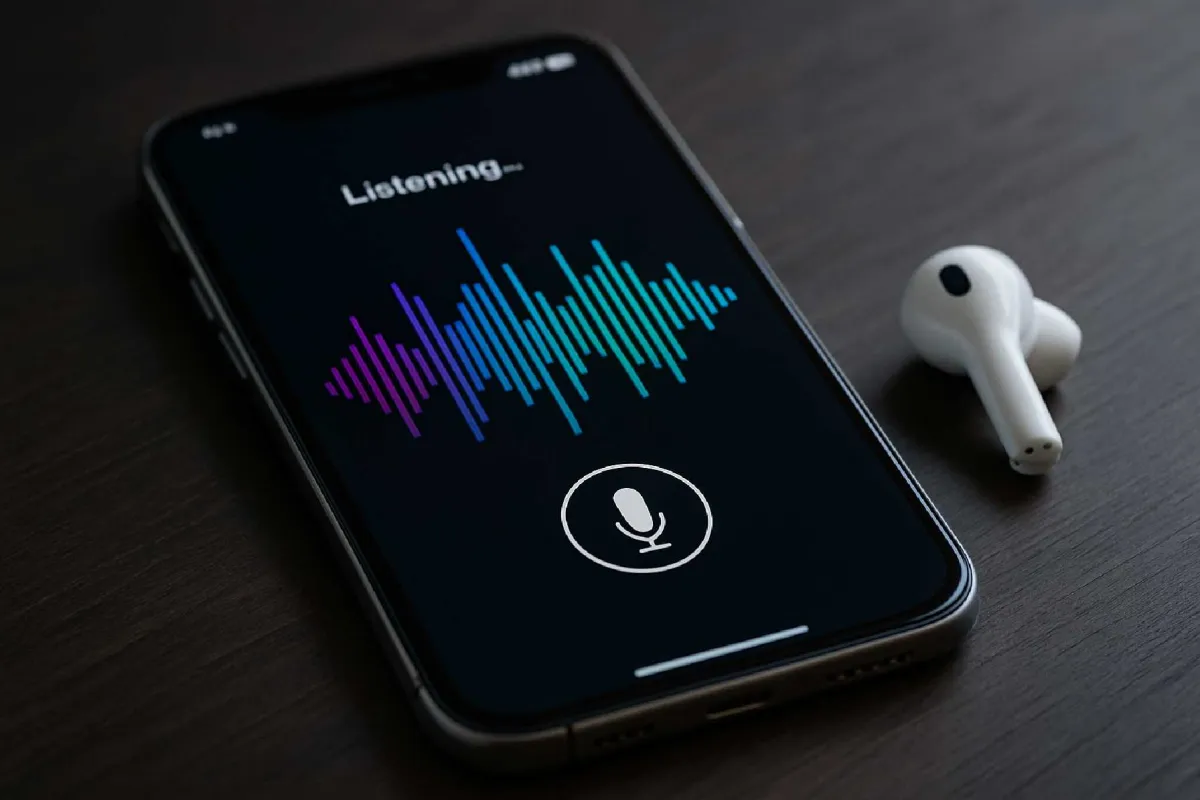
A voice-first AI mobile app makes spoken interaction a primary way to complete a task. Design the conversation, response timing and correction flow before choosing the technology. Test in realistic noise and language conditions, protect recorded data, and provide a usable alternative for people who cannot or prefer not to speak.
Voice interfaces have moved well beyond novelty. People now expect to speak to devices in cars, through earbuds, on smart speakers, and increasingly inside mobile apps. That shift has created a new product challenge for teams involved in mobile app development: how do you build an app where voice is not a secondary feature, but the primary interaction model?
A voice-first AI mobile app is not simply a standard app with a microphone button added to the home screen. It requires a different product logic. Users cannot scan a screen full of options when they are talking. They need the app to understand intent, respond quickly, recover from mistakes, and maintain trust when artificial intelligence is doing interpretation behind the scenes.
That makes voice-first product work both exciting and unforgiving. The technology stack matters, but so do conversation design, latency, accessibility, privacy, and business scope. Teams that underestimate those factors often build demos that sound impressive in a meeting but fail in daily use.
This article looks at how to approach voice-first app creation in a way that is practical and credible. It covers product strategy, mobile app design, AI architecture, platform choices, compliance concerns, and the hard trade-offs that shape a successful launch.
Start with the right problem, not the voice feature
The first question is not which speech model to use. It is whether voice is genuinely the best interface for the user’s job. Voice works especially well when hands and eyes are busy, when speed matters, or when typing is inconvenient. That is why it performs well in driving, fitness, field work, smart home control, note capture, language practice, and customer support scenarios.
It works less well when users need precision, privacy in public spaces, or the ability to compare many options at once. Booking complex travel, reviewing legal clauses, or editing a spreadsheet are not naturally voice-first activities. In those cases, speech may still be useful, but usually as a supporting layer rather than the dominant interface.
This early product judgment shapes the entire app development process. A strong voice-first concept usually begins with a narrow, high-frequency task. For example, a medication reminder app might allow a user to confirm doses, ask about side effects, and request refill prompts by voice. That is a more promising starting point than a vague ambition to build “an AI assistant for healthcare.”
In practice, the best teams define a small set of high-value intents first. They identify what users are most likely to say, under what conditions, and what the app should do when it only partially understands the request.
Design the conversation before you design the screens
Voice-first products still need screens, but the conversation model comes first. That means mapping intents, likely phrases, required clarifications, error handling, and fallback responses before polishing visual layouts.
Good voice UX is not about making the AI sound clever. It is about reducing friction. If a user says, “Log my run,” the app may need to know duration, distance, or route. A poor experience responds with a generic error or asks five questions in a row. A better one uses known context, perhaps from a wearable or GPS session, and asks only what is missing.
This is where conversation design becomes a core part of mobile product development. Teams must think about turn-taking, confirmation, interruption, and memory. Should the app repeat critical details? When should it ask for confirmation before taking action? How should it respond if the user changes their mind mid-sentence?
Major platform owners have long emphasized these issues. Apple’s Human Interface Guidelines and Google’s design guidance for voice and conversational experiences both stress clarity, brevity, and predictable interaction patterns. Those principles are especially important in mobile application development because users are often distracted, moving, or multitasking.
A useful rule is to keep spoken responses short and make visual support optional but available. If an app gives recommendations, a spoken summary can be paired with a screen that displays details, history, and alternatives.
Choose the AI architecture with latency and reliability in mind
At a high level, a voice-first AI app usually combines several technical layers: speech recognition, natural language understanding, business logic, and speech synthesis. In more advanced products, it may also include retrieval systems, large language models, personalization layers, or agent-like workflows.
For readers outside engineering, the distinction matters because not every “AI voice app” works the same way. Some apps simply convert speech to text and match commands against a fixed set of intents. Others send text into a generative AI system that produces a more flexible response. The second approach can feel more natural, but it also introduces new issues around unpredictability, cost, latency, and factual accuracy.
That is why many experienced mobile app developers favor a hybrid architecture. Routine, high-risk, or transactional actions such as setting reminders, updating account details, or controlling devices often use deterministic flows. Open-ended questions, summaries, coaching, or brainstorming features may use generative AI where flexibility adds user value.
Latency is one of the biggest practical constraints. If users speak and then wait too long, trust breaks down quickly. A voice app that feels slow is often perceived as inaccurate, even when it is technically correct. For that reason, teams should think carefully about where processing happens. On-device processing can improve speed, privacy, and resilience in poor network conditions, but it may limit model complexity. Cloud-based processing can deliver more sophisticated AI behavior, though at the cost of network dependency and added infrastructure considerations.
The right answer depends on the use case. A voice journaling app may tolerate a slight delay for rich summarization. A driving safety app probably cannot.
Platform choice affects more than code reuse
In conventional mobile app development, the native-versus-cross-platform debate often centers on speed, cost, and code sharing. For voice-first products, the decision also affects audio processing performance, access to device-level speech features, and responsiveness.
Native iOS app development or Android app development may make sense when low-latency audio streaming, platform-specific integrations, or advanced background behavior are central to the product. Native approaches can also help when a team needs tighter control over device permissions, accessibility behavior, or hardware integration such as wearables, Bluetooth headsets, and automotive systems.
Cross-platform app development can still be a strong option, particularly for products where business logic and user journeys are shared and the voice layer relies heavily on external APIs. Framework choice should follow the product’s performance and integration requirements, not ideology. A cross-platform stack can reduce duplication, but if the app’s core value depends on finely tuned audio handling, a native path may be more resilient in the long run.
That trade-off should be discussed early, because changing course later can be expensive. In custom mobile app development, architecture mistakes around audio and AI integration are harder to undo than ordinary interface adjustments.
Privacy is not a side issue in voice apps
Voice data is sensitive. It may reveal identity, health information, financial intent, location context, and emotional state. Any team building a voice-first product needs a serious privacy model from the start, not as a final legal review before app store submission.
Official requirements already make this clear. Apple and Google both enforce permission and data disclosure requirements for apps in their stores. Developers also need to consider broader regulatory frameworks where relevant, such as the GDPR in the European Union and privacy laws in U.S. states including California. If a product operates in health, finance, education, or children’s services, the compliance burden can become significantly higher.
In practical terms, that means being clear about what audio is recorded, what is processed in real time, what is stored, how long it is retained, and whether it is used to improve models. If third-party AI or speech providers are involved, product teams need to understand the vendor’s data handling terms, regional processing rules, and model training policies.
Trust also depends on user controls. Users should be able to understand when the microphone is active, review what was transcribed where appropriate, and delete sensitive history if the product context allows it.
Accessibility is part of the product, not an optional extra
Voice-first design is often discussed as an accessibility win, and in many cases it is. Speech can open up mobile software development to users with motor impairments, visual impairments, reading difficulties, or temporary limitations such as driving or carrying equipment.
But voice alone is not automatically accessible. Some users cannot speak easily, cannot rely on speech recognition due to accent or disability, or use devices in noisy environments. Others may need captions, transcripts, adjustable playback speed, or touch alternatives.
A well-designed voice-first app offers multimodal interaction. Users should be able to see what the app heard, correct it when necessary, and complete key tasks through an alternative input path. This is consistent with widely accepted accessibility thinking, including principles reflected in the Web Content Accessibility Guidelines, even though mobile implementation details differ by platform.
For product teams, the lesson is simple: voice should broaden access, not create a new barrier.
Analytics for voice products require a different mindset
Traditional app metrics such as session length and tap-through rates tell only part of the story in a voice-first product. Teams also need to measure recognition success, intent completion, abandonment after prompts, repetition rates, fallback frequency, and average time to task completion.
These metrics help reveal where the experience breaks. If many users repeat the same command, the issue may be recognition quality. If they drop off after the app asks a clarifying question, the dialogue may be poorly designed. If users regularly switch from voice to touch for the same task, the spoken flow may be too cumbersome.
This is one area where mobile product development intersects directly with AI operations. Product managers, designers, and engineers need a shared view of conversational performance. Otherwise, teams may blame the model when the real problem is task design, or blame UX when the system lacks enough domain context.
Test in the real world, not only in quiet demo conditions
Many voice apps perform well in controlled environments and then collapse in ordinary life. Real users speak quickly, mumble, pause, interrupt themselves, switch between languages, or use the app in traffic, wind, gyms, warehouses, and kitchens.
That is why voice testing must go beyond standard QA. It should include different accents, speech patterns, device types, microphone conditions, and network quality. It should also include edge cases such as partial commands, emotional frustration, and ambiguous requests.
A practical testing plan often includes three layers:
-
Functional testing to verify that commands, permissions, and AI flows work as designed.
-
Usability testing to see whether people know what to say and whether the app’s responses feel clear and helpful.
-
Field testing in realistic acoustic and connectivity conditions.
For an app development company or an internal digital team, this stage is where assumptions are usually challenged. It is also where many expensive redesigns can be avoided if testing happens before broad launch.
Understand the cost drivers before committing to scope
App development cost for a voice-first AI product is shaped by more than interface complexity. The main cost drivers usually include speech infrastructure, AI usage, conversation design, backend integration, analytics, security reviews, and ongoing tuning after launch.
Generative AI can be particularly deceptive from a budgeting perspective. A prototype may be quick to assemble, but a production system requires prompt design, guardrails, observability, content moderation where relevant, and ongoing monitoring for errors and drift. If usage grows, variable inference costs may become a real business concern.
This is one reason experienced mobile app developers often recommend a staged rollout. Start with a focused use case, measure completion and retention, and then expand capabilities. That approach reduces technical risk and helps determine whether the voice interface is driving product value or simply adding complexity.
What app store readiness really means for voice AI apps
App store approval is not just an administrative checkpoint. It reflects issues that are central to voice-first products: permission transparency, privacy disclosures, data collection practices, and clarity around user-facing functionality.
Teams should review platform requirements early, especially if the app records audio, runs in the background, uses account-linked personalization, or includes AI-generated output in regulated contexts. A product that handles health advice, financial guidance, or child-directed interactions may face stricter scrutiny even if the underlying technology works well.
From a product management perspective, launch readiness should include a fallback plan for misunderstanding, content review processes where appropriate, and customer support paths for users who need to override or correct the AI’s actions.
The strongest voice apps are narrow before they become broad
The market often rewards broad ambition in presentations and funding decks. In practice, successful voice-first apps usually begin with discipline. They solve a limited problem well, establish trust, and expand only after the team understands user behavior, model performance, and operational cost.
That is not a limitation of voice technology. It is a reflection of product reality. Speech is intimate and immediate, which makes poor design more obvious. When a voice app succeeds, it feels natural. When it fails, the failure is impossible to ignore.
For teams working in mobile application development, that is the central lesson: building a voice-first AI app is not mainly about adding AI to mobile. It is about rethinking interaction, reliability, and trust around spoken intent.
Summary of Key Decisions
| Area | Main Decision | What Works Well | Main Risk or Trade-off |
|---|---|---|---|
| Product strategy | Whether voice is the primary interface | Hands-busy, fast, repetitive, or context-driven tasks | Voice may be awkward for complex comparison or private tasks |
| AI architecture | Deterministic flows vs generative AI | Hybrid models for routine actions plus flexible responses | Generative systems can add latency, cost, and unpredictability |
| Platform approach | Native vs cross-platform app development | Native for deep audio control; cross-platform for shared business logic | Code reuse can conflict with low-level performance needs |
| Privacy and compliance | How voice data is captured, processed, and retained | Clear consent, minimal retention, visible microphone status | Sensitive data handling increases legal and reputational exposure |
| User experience | Voice-only vs multimodal design | Short spoken responses with visual confirmation and correction paths | Voice-only flows can exclude users or fail in noisy settings |
| Operations and cost | Prototype scope and production readiness | Focused launch with measurable task success | AI usage and tuning costs can rise after adoption |
Questions Readers Should Ask Before Building a Voice-First AI App
Is voice genuinely the fastest and clearest way for our users to complete the core task, or are we forcing speech into a workflow that works better with touch?
Which parts of the experience need deterministic reliability, and which parts can safely benefit from generative AI flexibility?
Do we need native iOS app development or Android app development for audio performance and device integration, or can a cross-platform architecture support the product without compromising the experience?
What voice data will we collect, where will it be processed, and can we clearly explain those choices to users and app store reviewers?
How will we measure success after launch: not just downloads, but actual voice task completion, correction rates, user trust, and ongoing AI operating cost?